Create Your CloudNOOE Account
Welcome to CloudNOOE! Creating an account is the first step toward transforming your cloud infrastructure workflow. Our simple, free sign-up process gives you instant access to the platform's powerful features.
Estimated time to complete: 2 minutes
Step-by-Step Guide to Account Creation
Follow these simple steps to get started.
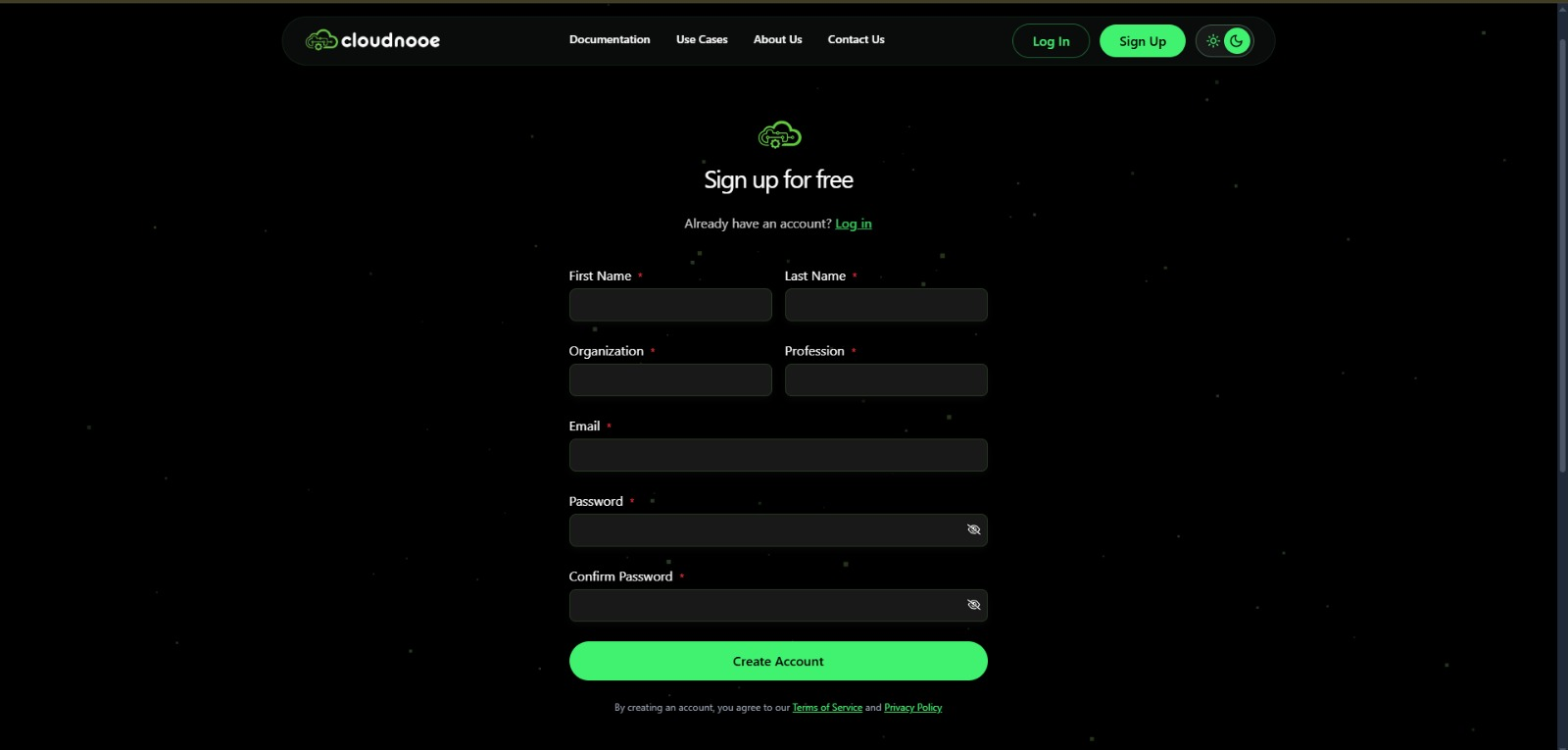
Step 1: Visit the Sign-Up Page
(Progress: 25%)
Navigate to the CloudNOOE Sign-Up Page. You will be greeted with a clean and simple registration form.
Step 2: Fill in Your Details
(Progress: 50%)
Provide the following information:
- Full Name: Enter your first and last name.
- Work Email: We recommend using your professional email address.
- Password: Choose a strong, secure password. Your password must be at least 8 characters long and include a mix of uppercase letters, lowercase letters, numbers, and symbols.
Security Tip: Use a unique password for CloudNOOE that you do not use for other services. This helps keep your account and infrastructure secure.
Step 3: Agree to Terms and Sign Up
(Progress: 75%)
Review our Terms of Service and Privacy Policy. Once you agree, click the "Sign Up for Free" button to create your account.
Step 4: Verify Your Email Address
(Progress: 100%)
After signing up, we will send a verification email to the address you provided.
- Check your inbox for an email with the subject "Verify Your CloudNOOE Account."
- Click the verification link inside the email.
- If you don't see the email, please check your spam or junk folder.
Once your email is verified, you will be automatically logged into your new CloudNOOE account and redirected to the dashboard.
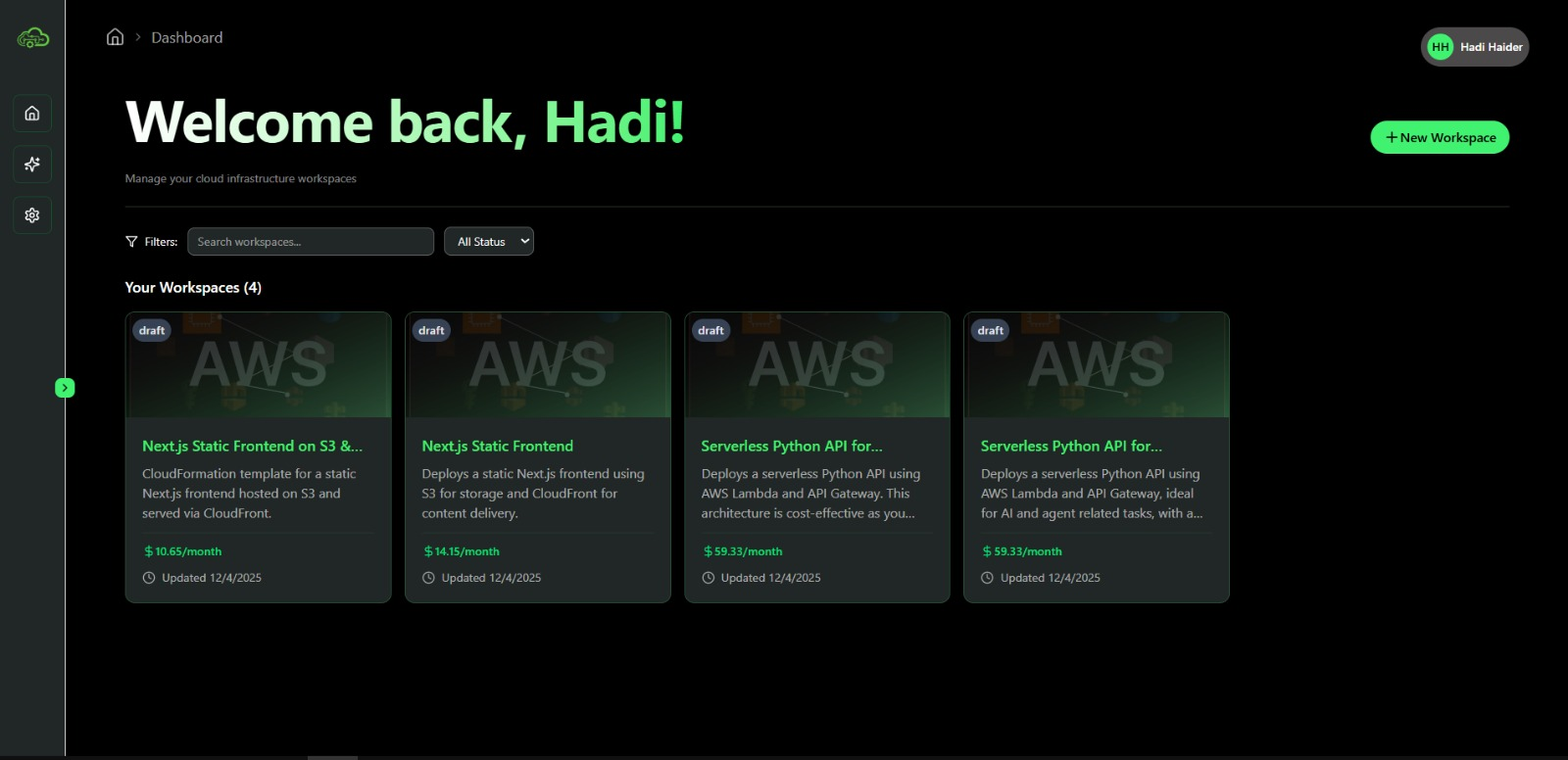
Congratulations!
You are now ready to start building. Your account is active, and you can immediately begin designing your first cloud architecture.
Next Steps
Now that you have an account, it's time to build something amazing.
- Follow our First Steps Guide to create and deploy your first workspace.
- Explore the AI Assistant to see how natural language can build your infrastructure.